
D-PAD
A retro-styled game launcher that brings your entire PC game library together in one place.
◆
FEATURES
- Steam integration — automatically syncs your full Steam library with metadata, artwork, and playtime
- GOG integration — import your GOG library with cloud save sync support
- Cloud Backup — back up saves to Google Drive, Dropbox, OneDrive, pCloud, S3, or any other provider rclone supports
- Manual game import — add standalone games and executables
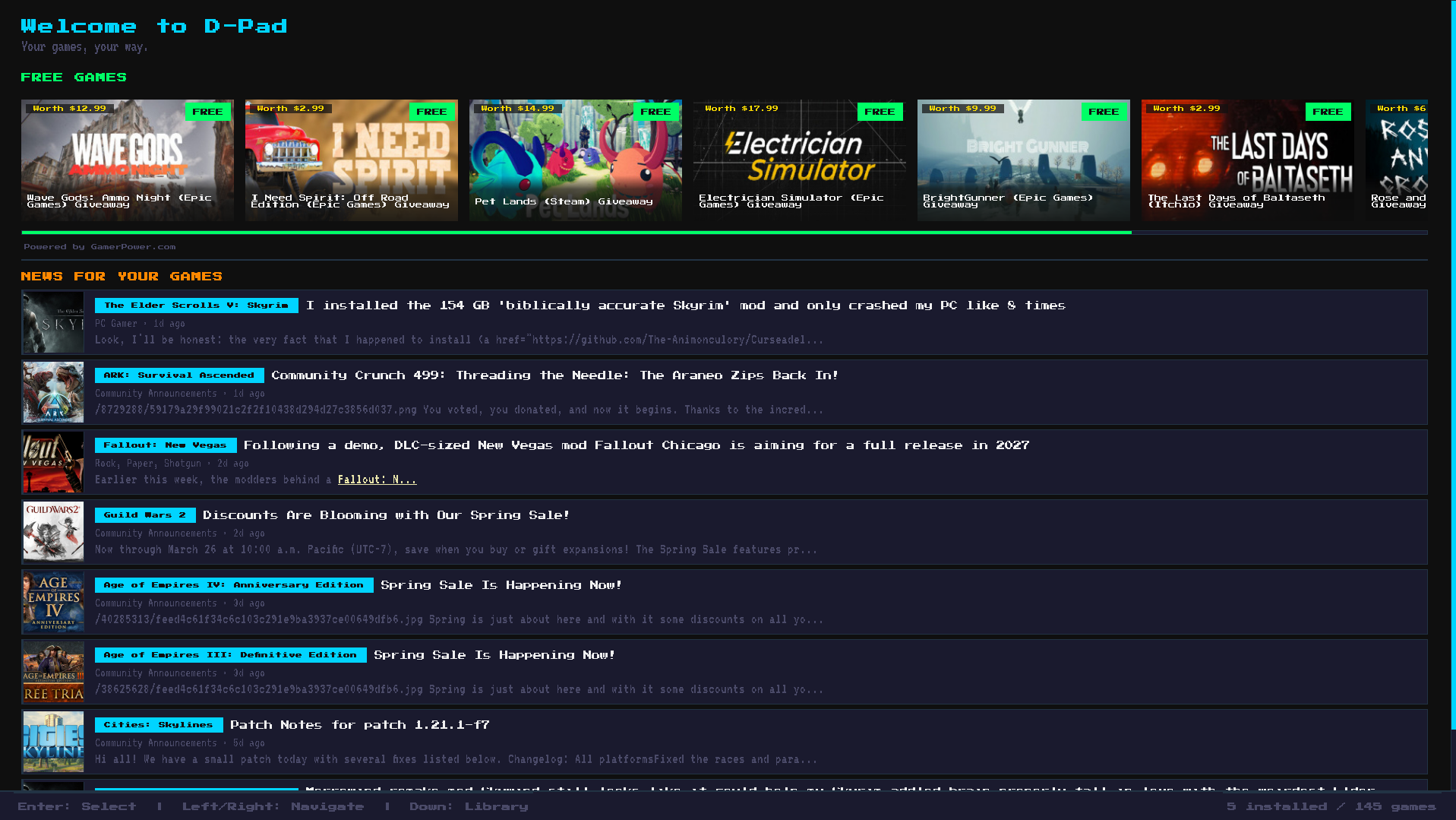
- Home screen — recent games, free game giveaways from GamerPower, and news for games you own
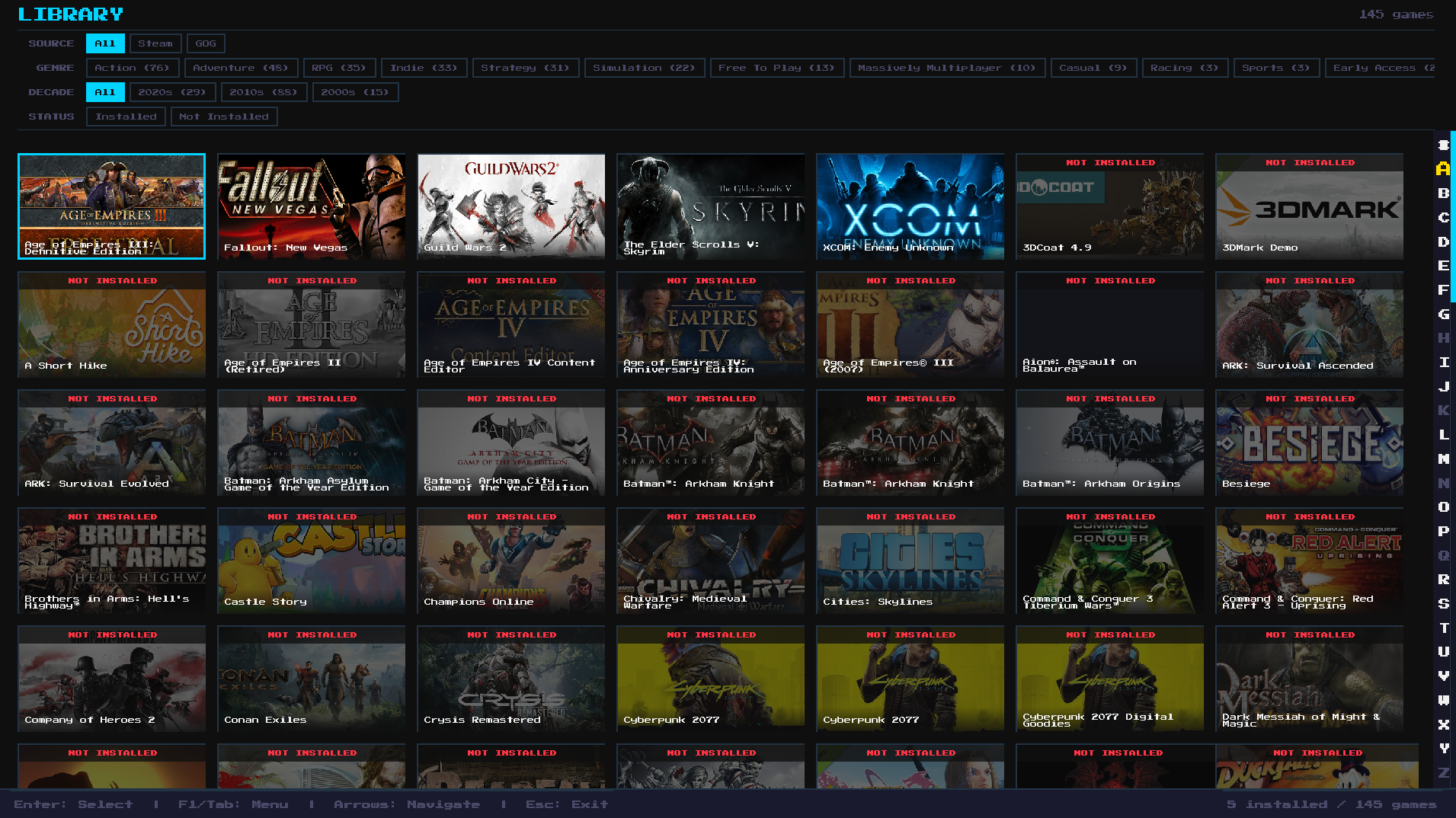
- Library view — full game grid with sorting, filtering, and alphabet quick-jump
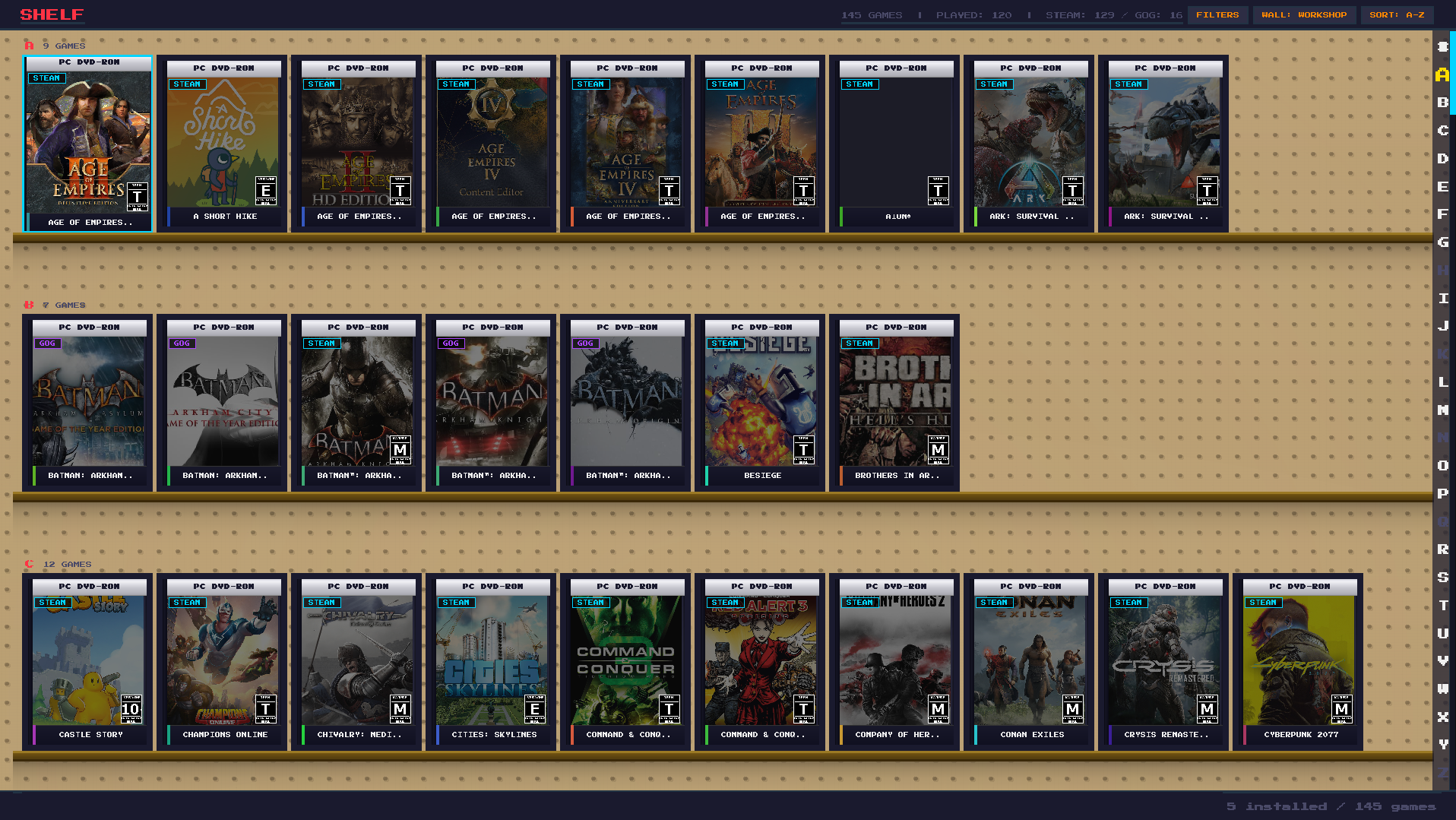
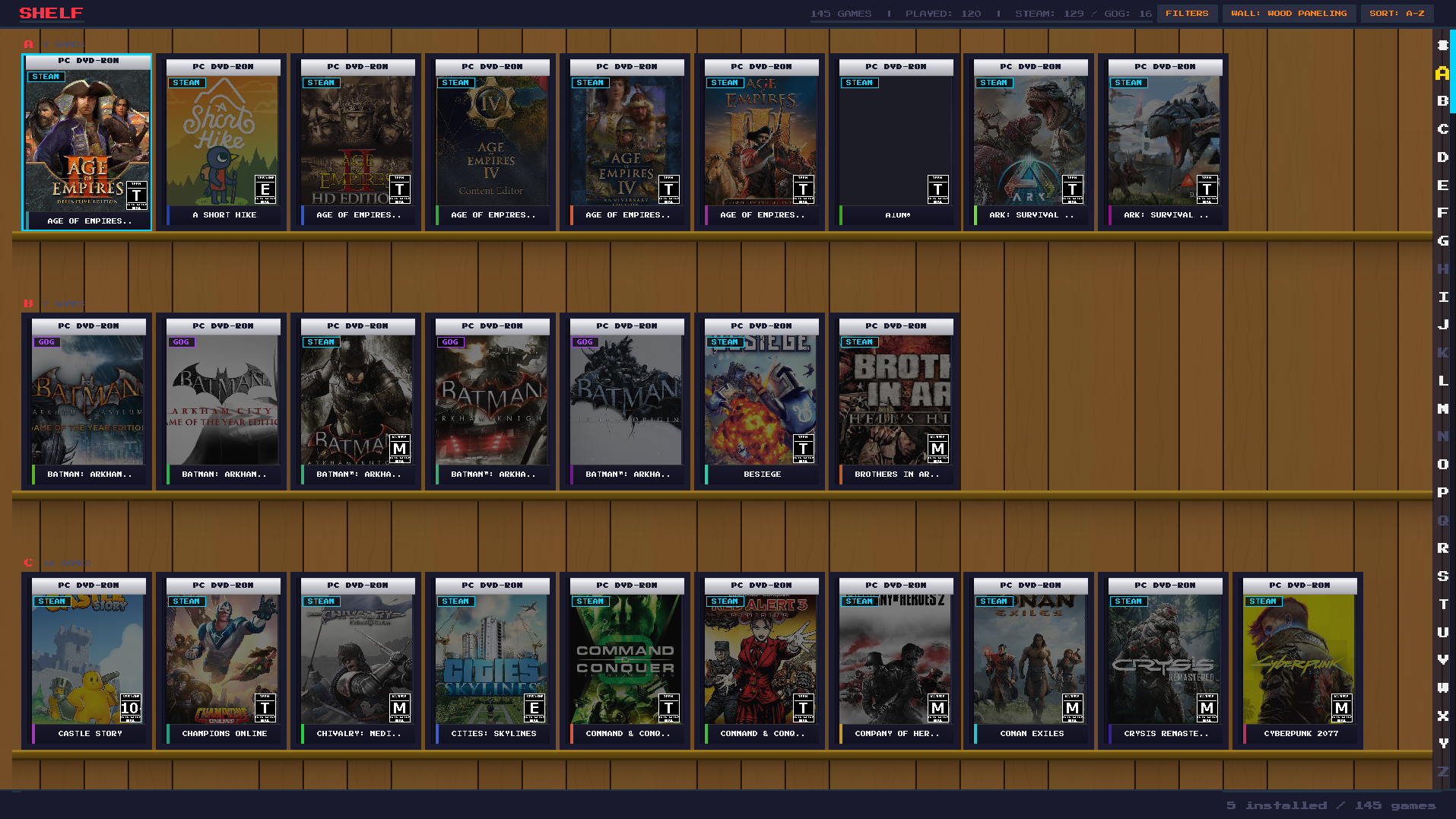
- Shelf view — 3D game case display organized alphabetically with cover art
- Game details — description, developer, screenshots, system requirements, Metacritic scores
- Play tracking — tracks play time and last played date for every game
- Proton integration (Linux) — launch Windows games through Steam's Proton compatibility layer
- ProtonDB ratings (Linux) — see community compatibility ratings for each game
- Gamepad support — full controller navigation with Xbox, PlayStation, and generic controllers
- Keyboard navigation — arrow keys, Enter, Escape, Tab for sidebar
- CRT boot animation — retro startup sequence
- 16-bit retro theme — pixel fonts, dark UI, retro color palette
- Screensaver — bounce, clock, dim, or black screen after idle timeout
◆
SCREENSHOTS
◆
WHAT'S NEW
v1.1.1 — April 2026
- Fixed "Could not read Steam library data" error for anyone with Steam installed outside
C:\Program Files (x86)\Steam(e.g. D: or E: drive custom installs). Steam's location is now read from the Windows registry instead of hardcoded paths - Same fix applied to GOG Galaxy detection — games installed via Galaxy on a non-default drive are now picked up automatically
- Clear error message when the Steam ID is invalid or missing (previously surfaced as a raw Python traceback)
- Fixed Steam refusing to open after launching a game through D-Pad. A zombie Steam helper process was holding Steam's single-instance lock; Steam is now fully detached on spawn so this can't happen
- Entering a Steam ID or connecting GOG in Settings now auto-triggers a library sync — no more saving Settings and wondering why no games appeared
- "Clear Library" in Settings actually clears now. Previously a background artwork callback would rewrite games.json moments later, so the library appeared to come back even after a restart
- "Clear Art Cache" no longer crashes on files that are currently in use — reports how many files were cleared and how many were locked (those get cleaned up next launch)
- Steam Deck: fixed the main window extending past the screen and forcing horizontal scrolling. Disabled Qt's auto-DPI scaling and explicitly sized the window to the physical display before going fullscreen
- Steam Deck: shelf view now scrolls to follow D-pad navigation when cases are off-screen in multi-row shelves (library view was already fine, but shelf only scrolled to the shelf container, not the focused case)
- Steam Deck: game detail page no longer requires horizontal scrolling on the 1280px screen. Button sizes and margins shrunk so the full PLAY / BACK / UNINSTALL / OPEN FOLDER / SCREENSHOTS / SETTINGS row fits within a single screen width
- Game detail page D-pad navigation now matches the visible layout — left/right move between action buttons, up/down scroll the page or enter/exit the screenshots gallery. Previously DOWN moved focus to the right and UP moved focus to the left, a holdover from when the buttons were vertical
- Linux / AppImage: Steam games now launch correctly. The AppImage's bundled libraries were leaking into Steam's environment and causing Steam's helper processes to crash silently. The child environment is now stripped of all AppImage-injected Qt / Python / library paths before launching Steam or Proton
- Linux / AppImage: GOG login no longer crashes the app. QtWebEngine's Chromium sandbox is too fragile inside an AppImage, so the Linux AppImage build now skips the embedded browser and goes straight to the system browser + paste-code flow. Windows builds and non-AppImage installs still use the embedded browser
- Linux / AppImage: clicking "Login to GOG" now gives immediate visible feedback. The code-paste widget and full auth URL (with a Copy URL button) appear before the browser launch is attempted, so there's no longer a case where the click appears to do nothing. xdg-open is also launched with the scrubbed environment so its internal shell helpers don't crash on AppImage-injected PYTHONHOME / LD_LIBRARY_PATH
- Steam Deck: GOG game installs no longer fail with "innoextract is required, install with sudo apt install...". SteamOS's read-only /usr partition makes that error unfixable. DPad now downloads a static innoextract binary (~1 MB) into its own data dir on first use — no system install required, no sudo prompt, works in Game Mode
- GOG downloads now survive flaky networks and laptop sleeps. A multi-GB download that hits a connection drop is no longer toast — the download worker retries with exponential backoff (5s → 10s → 20s → 40s → 60s) and resumes from the last byte via HTTP Range. The dialog flips to "Connection lost — retrying in Xs" with a countdown so you know what's happening. Also handles GOG's CDN URLs expiring mid-download
- Better partial-file handling on retry. Short reads where the connection died right at the end now resume to fill the gap instead of being silently treated as success and failing during extraction
- Focus no longer goes "missing" on the detail page after closing a dialog. The button-focus cache used to short-circuit a restyle when the focus index hadn't moved, but the button's meaning could have changed (INSTALL → PLAY after an install completes). Cache is now invalidated on every state transition, and Qt keyboard focus is pulled back to the main window after every dialog closes
- Steam Deck: games launched through D-Pad now see the Deck's onboard controls as a regular Xbox-shaped gamepad. When a game is launched outside Steam (e.g. a GOG title through Proton), Linux normally exposes the Deck inputs as a pile of unrelated evdev nodes and SDL2 games see "no gamepad attached". D-Pad now injects the official Steam Deck SDL2 GameController mapping into the launch environment so the controls Just Work, no Steam Input required. (Doesn't cover every engine — Unity old input manager + DirectInput-only Proton games still need work; tracked for v1.2.0)
- Steam games launch again on Steam Deck — for real this time. Two layered bugs: (1) SDL_JOYSTICK_HIDAPI_STEAMDECK=1 was leaking into Steam's own env, causing it to fight with its kernel driver and silently drop -applaunch commands. (2) Even fixed, -applaunch IPC forwarding is just unreliable in Steam Deck Game Mode. Linux primary path now uses steam://rungameid URL form (same approach as Lutris and Heroic) with -applaunch as a fallback. Windows still uses -applaunch (its IPC is reliable)
- Regression tests added. Both of the Steam-launch bugs above shipped because there was no test pinning down the contracts. New tests/ dir covers AppImage env scrubbing, the SDL-hint split, Steam launch command shape per platform, GOG download backoff math, and the detail-page focus-cache. 33 tests, no Qt display needed — runs on a headless CI box
v1.1.0 — April 2026
- Cloud Backup — new settings page for backing up save files to Google Drive, Dropbox, OneDrive, pCloud, Mega, Backblaze B2, S3, or WebDAV. rclone auto-downloads when you pick a provider
- Per-game "Backup to Cloud" action in the game settings dialog
- Live installer progress — GOG game installs now show elapsed time and bytes written instead of a frozen status line
- Manual-install detection — if you installed a game outside the launcher, clicking Install now recognizes it and launches instead of re-downloading
- Fixed progress bar overflow on games larger than 2 GB (Manor Lords, Cyberpunk, etc.)
- GOG cloud save reliability — LocalLow save paths now resolve correctly, unsupported games fail with a clear message instead of 12 identical errors
- Save-location detection now shows the correct folder per game instead of whatever it found alphabetically first
- Navigation reliability — detail page and sidebar focus no longer get yanked around by background tasks
- Shelf view performance — faster art loading, smoother scrolling on large libraries
- Games with special characters in titles (®, ™, HTML fragments) now cache artwork correctly instead of failing silently
- Download resume — installers that finished but crashed during install no longer re-download the full file on retry
- Installer success detection — treats non-zero exit codes as success when the game files actually landed on disk (handles Inno Setup's weird exit quirks)
- Extensive cleanup of background worker lifecycle, memory leaks, and error handling across the codebase
v1.0.0 — Initial Release
- Steam library sync with automatic metadata and artwork
- GOG library sync with cloud save support
- Home screen with giveaways and gaming news
- Library grid with filtering, sorting, and alphabet scrubber
- 3D shelf view with game case covers
- Full gamepad and keyboard navigation
- Proton integration for Linux gaming
- CRT boot animation and retro screensaver
- Cross-platform — runs on Windows and Linux
◆
DOWNLOADS
D-Pad is free and in active development. New features and improvements are added regularly.
◆
FAQ
What game stores does D-Pad support?
D-Pad integrates with Steam and GOG libraries, plus you can manually add standalone games.
Does D-Pad work with a controller?
Yes. D-Pad has full gamepad support including Xbox, PlayStation, and Steam Deck controllers.
Can D-Pad run Windows games on Linux?
Yes. D-Pad integrates with Proton and shows ProtonDB compatibility ratings for each game.
◆
YOU MIGHT ALSO LIKE

CineBit
Local-first media center for movies, TV, music, and photos.

AI Text Adventure
AI-powered text adventure with 12 themed worlds and generated images.